Karcher B 60 W Walk Behind Floor Scrubber Dryer: Fault Code Guide
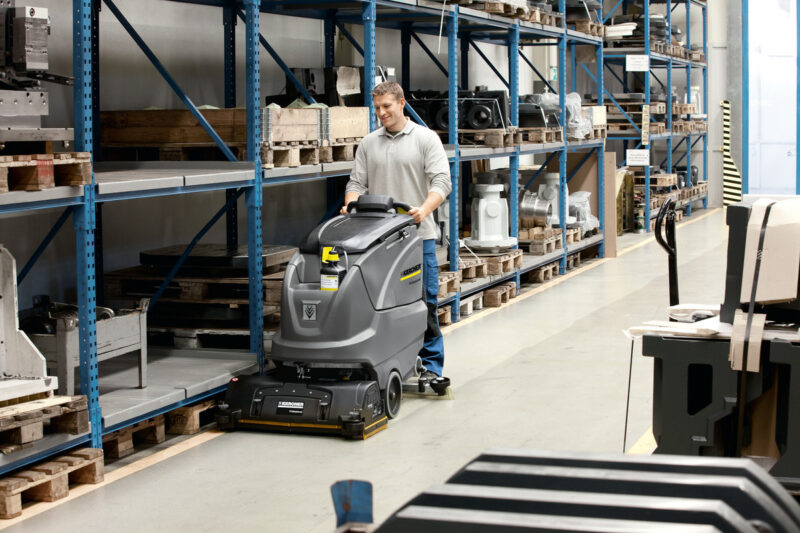
The Karcher B 60 W is a high spec, commercial walk-behind floor scrubber dryer, widely used across warehouses, retail premises, schools and industrial facilities.
While the B 60 W is a dependable machine, it can present fault codes or warning messages. If not dealt with correctly, these can halt your cleaning schedules and interrupt your operations.
In this guide, the team at Alpha Power Cleaners look at the most common fault codes, and how to fix them for the B 60 W.
Jump to section:
Common Faults
Below are some of the most common faults we have come across – if you have any issues with your machine, please contact our team for support.
Brush motor overload
What does this mean?
This is one of the most common Karcher B 60 W error codes.
It indicates that the brush head is experiencing excessive strain, or encountering resistance. For example, if debris is trapped around the brush assembly.
Recommended resolution
- Turn off the machine
- Inspect the brush head for obstructions
- Remove any debris
- Clean the brush housing
- Ensure the brush can rotate freely
- Restart the machine and test
Suction turbine blockage
What does this mean?
The machine’s suction system is what removes dirty water from the floor’s surface.
If the airflow to this system is restricted, this warning is displayed.
It is typically caused by a blocked hose or dirty filters, or the squeegee assembly being blocked. Equally, it can also display if the recovery tank is too full.
Recommended resolution
- Empty the recovery tank
- Check and clean the suction hose
- Inspect the filters for any debris
- Clean the squeegee blades
- Restart the machine
Battery and charging errors
What does this mean?
A battery-related fault code can be displayed if the machine detects low voltage, if there are charging problems, or in the event of battery communication issues.
Typical causes include:
- Faulty charging equipment
- Loose battery connections
- Deeply discharged batteries
- Batteries reaching the end of their service life
Recommended resolution
- Check the charger is correctly connected
- Fully charge the batteries
- Check for any loose connections or issues in the battery terminals
If the warning persists, enlist a trained service engineer to perform a battery health assessment and check for any faults in the charging system.
Fresh water level warnings
What does this mean?
If there is not enough clean water in the machine (which is required for scrubbing) a warning message may be displayed.
This isn’t usually a machine fault. Rather, the message is designed to prevent any ineffective cleaning.
Recommended resolution
- Refill the fresh water tank
- Add the cleaning detergent (if needed)
- Restart your machine
- If this doesn’t remove the warning message, arrange for a specialist to inspect the machine’s level sensor
Intelligent Key reset process
What does this mean?
The Karcher B 60 W features an ‘Intelligent Key’ system. This controls the machine’s settings and operator access levels.
In some cases, after an operator makes a change to the machine – e.g. changing the settings or replacing batteries – or after an operational fault, there may be some issues to this feature.
Generally, resetting the machine through this Intelligent Key can clear any mistaken error messages.
Recommended resolution
- Fully turn off the machine
- Remove the ‘Intelligent Key’
- Wait a few seconds
- Reinsert the key
- Restart the machine
- Confirm that the warning has cleared
However, if the fault message remains, then you will need to further troubleshoot the issue.
Fault Codes
There are 3 main fault codes that will show on the display, other faults are with the machines itself.
Faults with display
| Display | Remedy |
|---|---|
| ERR_I_BÜRSTE_049 | Check if foreign matters block the brushes; remove foreign matter if required. |
| ERR_I_TURB_050 | Check suction turbine for contamination and clean it if necessary. |
| ERR_U_BATT_001 | Check battery; charge it if required. |
If the display shows different error messages or if the error cannot be remediated:
- Remove the Intelligent Key
- Wait for 10 seconds
- Plug in the Intelligent Key
- If the fault recurs, call customer service
Faults without display on the console
| Fault | Remedy |
|---|---|
| Appliance cannot be started | – Stand-by. Turn the appliance off and reinsert the Intelligent Key. Turn the program selection switch to the desired programme. – Check battery; charge it if required. Make sure that all battery terminals are connected. |
| Insufficient water quantity | – Check fresh water level, refill tank if necessary. Increase the water volume on the regulating knob for water volume. – Unscrew the lock of the fresh water reservoir. Remove and clean the fresh water filter. Insert the filter and screw in the lock. – Remove the water distribution strip from the cleaning head and clean water canal (only R cleaning head). – Check hoses for blockages; clean if required. |
| Do not add detergents | – Increase the water volume to activate the dosing pump. Check the detergent level. |
| Insufficient vacuum performance | – Clean the seals between waste water tank and cover and check for tightness, replace if required. – Wastewater reservoir is full; shut off the appliance and empty the wastewater reservoir. – Check protective turbine strainer for soiling, clean if necessary. – Clean the vacuum lips on the vacuum bar, replace if required. – Check suction hose for blockages; clean if required. – Check the suction hose for tightness; replace if required. – Check if the cover on the dirt water discharge hose is closed. – Check the setting of the vacuum bar. |
| Insufficient cleaning result | – Check the brushes for wear, replace if required. |
| Brushes do not turn | – Check if foreign matters block the brushes; remove foreign matter if required. – If over-current switch in the electronics system has been triggered, turn programme selection switch to “OFF.” – Afterwards, set it back to the desired programme. |
| Vibrations during cleaning | – You might need to use softer brushes. – Cleaning head has play, open the excenter lever and press the cleaning head all the way against the push handle, close the excenter lever. |
In case of faults that cannot be remedied using the table above please contact the customer service.
When should you call a service engineer?
If any of these faults persist after the recommended trouble shooting steps, then your machine may need professional inspection.
Any persistent issues – especially if they affect key parts, like the vacuum motor – should be carefully checked by a qualified specialist.
In many cases, these Karcher error messages can be fixed via basic troubleshooting.
But, we would always recommend arranging servicing if:
- Fault codes are occurring repeatedly
- The motors are not operating correctly
- The machine is regularly failing to charge
- There are persistent electrical warnings
- Components need replacing
By enlisting a specialist at this stage, you can ensure issues are resolved, before they are allowed to escalate into a more costly problem.
At Alpha Power Cleaners, our experienced engineers provide comprehensive Karcher servicing, repairs and diagnostic services, covering floor scrubber dryers and a huge range of other commercial cleaning equipment.
Need support with your machine? Call our team.